The British Broadcasting Corporation is a British public service broadcaster that serves as the primary national public broadcasting company of the United Kingdom, headquartered at Broadcasting House in London, England. Originally established in 1922 as the British Broadcasting Company, it evolved into its current state with its current name on 1 January 1927.
curl --request GET \
  'https://d2tr.com/api/public/google-profile?domain=bbc.com'
Examples use the production URL. Call from your server; browser access from other websites is restricted.
A guide to Google Creator Profiles
What a Search profile shows, how it connects a creator’s work, and where the Creators Profile Finder fits into your research.
Sources checked
One profile for a creator’s work across the web
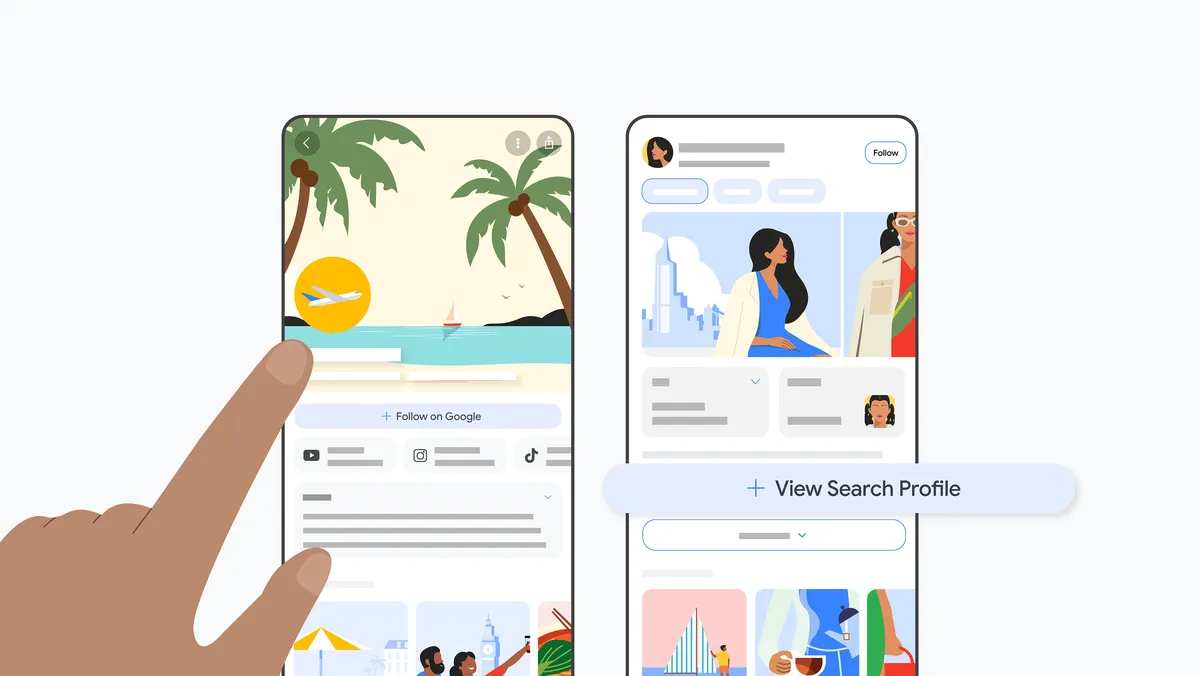
A Google Creator Profile is the public page that Google calls a Search profile. It brings a creator or publisher’s identity, social accounts and content into a shareable destination. Someone who discovers an article can use it to explore the person or publication behind it, including work published on other platforms.
Google announced Search profiles in June 2026. Readers can reach them through a direct link, a profile link in Search, or a creator’s name on a Discover item. The page can bring together articles, videos and social posts. Google’s Search profile announcement explains these entry points and the ability to follow a source.
For the reader, the value is context: who is publishing, where else they publish and what they have shared. For the creator, it is a place to present that work and direct visitors to relevant accounts and links. Google describes it as a customizable page for creators, brands and publishers.
The profile name, photo and cover introduce the creator or publication visually.
About
A biography or description gives context about the person, organization or subject of the profile.
Social accounts
Links to content platforms, with follower figures where displayed, help visitors explore the wider presence.
Pinned and latest posts
Featured work sits alongside recent content, with platform labels and links back to the original publication.
Website and other links
Additional destinations can include a website, shop or subscription page.
Follow on Google
A visitor can follow the source to stay connected to its content on Google.
In D2TR, the result organizes available public information into an About section, social profiles and recent publications. It also surfaces the Google Profile URL and a Knowledge Graph ID when available. These are useful references when the same creator has several accounts or a name shared by other people.
Read each field in context. A combined follower figure is not a count of unique people: audiences can overlap across platforms. Missing information does not mean the creator has no accounts or posts. It means that information was not available in the returned result.
Google automatically brings in content from linked platforms; updates can take time. Its owner-only Insights area can include clicks, impressions and other performance data. Those private analytics are separate from the public profile data shown by this Finder. Google’s profile management guide explains content updates and who can access Insights.
How it relates to Search and Discover
A knowledge panel is the information box Google may show for an entity in Search. Google builds it from its understanding of information across the web. A Search profile gives visitors a dedicated page to explore that creator or publisher. The two can connect through a profile link. See Google’s explanation of knowledge panels.
ProfilePage structured data is another related term. It describes profile pages on your own website, such as an author page. Google documents it as markup that helps Search understand creators and their contributions. Adding this markup is a website implementation task; finding or claiming a Google Search profile is a separate workflow. Google Search Central’s ProfilePage documentation covers the markup.
Following a source from its Search profile may lead to more of its content appearing in that person’s Discover feed. Creating the profile does not directly improve content ranking in Search. Google states this in its Search profile setup guidance.
For publishers, keep the profile review alongside broader content work. Google says indexed content that meets Discover policies is automatically eligible, with no special markup required; eligibility does not guarantee distribution. A successful Finder lookup therefore cannot establish Discover eligibility, traffic or future visibility. Google’s Discover documentation explains the requirements.
When Creators Profile Finder is useful
The Finder turns a domain, name or entity ID into a starting point for research. Here are five practical workflows using the public data it returns.
An agency or media group can use Domain list to check several publications together, inspect the matching profiles and export results to CSV. This produces a working inventory of domains, profile links and available metadata. Review unexpected matches before treating the inventory as a source of truth, especially when regional editions share a parent brand.
Identify a creator when you only know the name
Use Query to find candidates, then compare their descriptions, websites and linked platforms. Once you have confirmed the intended entity, use its Knowledge Graph ID for a more specific follow-up lookup. This is useful for researching authors, interview guests or subject specialists whose names are not unique.
Prepare a partnership or outreach shortlist
Review linked social accounts and recent publications to understand a creator’s topics, formats and publishing activity. A researcher can open the original posts before preparing a brief. Follower counts add context, but the public result does not establish engagement quality, audience demographics, contact details or the commercial suitability of a partnership.
Check how a brand’s public identity is connected
Start with your own domain and compare the returned name, bio and platform links with the accounts your team manages. Save the direct Google Profile link and note mismatches for the owner to review. This can support a rebrand, an author-page review or the addition of a new publishing channel.
Add profile references to an internal workflow
Use the API examples above to enrich a publisher directory, research sheet or editorial system with public profile data. Store the lookup time alongside the result, keep the original source links and handle missing fields. Recheck information before relying on it; an earlier response is a snapshot of what was available at that time.
A practical way to review a profile
Choose the input you actually know. Use One domain for a website, Domain list for a portfolio, Query for a name, or By Knowledge Graph for an existing entity ID.
Confirm the identity. Compare the title, About text, website and linked accounts. Open the Google Profile URL to inspect the source page.
Explore the content. Switch between publication sources, open relevant posts and distinguish current API results from the BBC example shown before a search.
Keep a useful record. Export a domain list or use the API response in your workflow. Retain the input, profile URL, entity ID and retrieval date so another person can repeat the check.
If a lookup finds no profile, check the spelling, try a more specific name or use an entity ID you have already verified. Treat an unavailable-service message as a failed request. Neither result is enough to conclude that Google has never recognized the person or publisher.
Start by checking whether Google already has a profile for your identity. Google’s setup process asks you to sign in and connect a supported content account. At the time of this review, its creation guidance lists US availability, an adult Google Account owner and at least 35,000 followers on one supported platform: YouTube, Instagram, TikTok or X. Check the current eligibility and setup instructions before applying.
Owners can manage their profile’s presentation, linked platforms and featured content. Google reviews suggested changes to factual fields such as the name and bio, and requests to add platforms. Some other changes, including reordering platforms, take effect when saved. Follow the official management instructions for the controls currently available to your account.
D2TR helps you discover and inspect public profiles. Claiming ownership, editing the profile and accessing private Insights happen through Google. Once your changes are published, you can run another Finder lookup to review the public information returned.